Project 05Web App
Captain’sGalley
- Client
- Captain’s Galley
- Format
- Web app
- Discipline
- Web Design + Web App + Brand Direction
- Year
- 2026
An app for ordering local food ahead for pickup.
 — opens the live Captain’s Galley web app in a new tab
 — opens the live Captain’s Galley web app in a new tab
 — opens the live Captain’s Galley web app in a new tab
Owner-provided app screenshotscaptainsgalley.org
01The business need
Finding the food and ordering it should be one move.
For a local food business, showing the menu is only part of the job. Captain’s Galley connects discovering the food with ordering ahead for pickup. The website introduces the food; the web app gives customers a way to order it.
02The workflow
- 01
Browse the menu
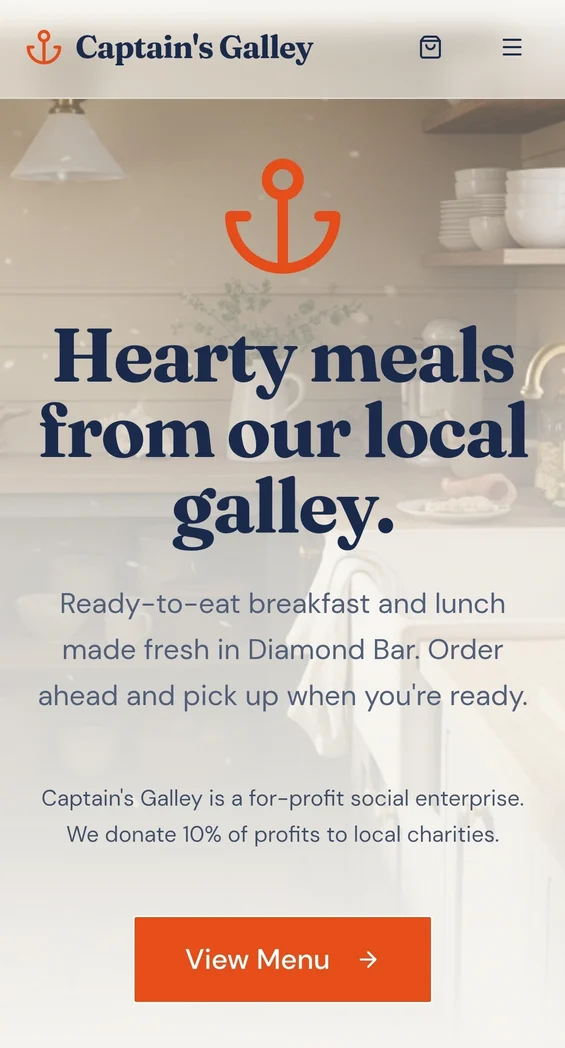
The published homepage offers both a Menu link and a View Menu action, giving visitors a clear place to start.
- 02
Order ahead
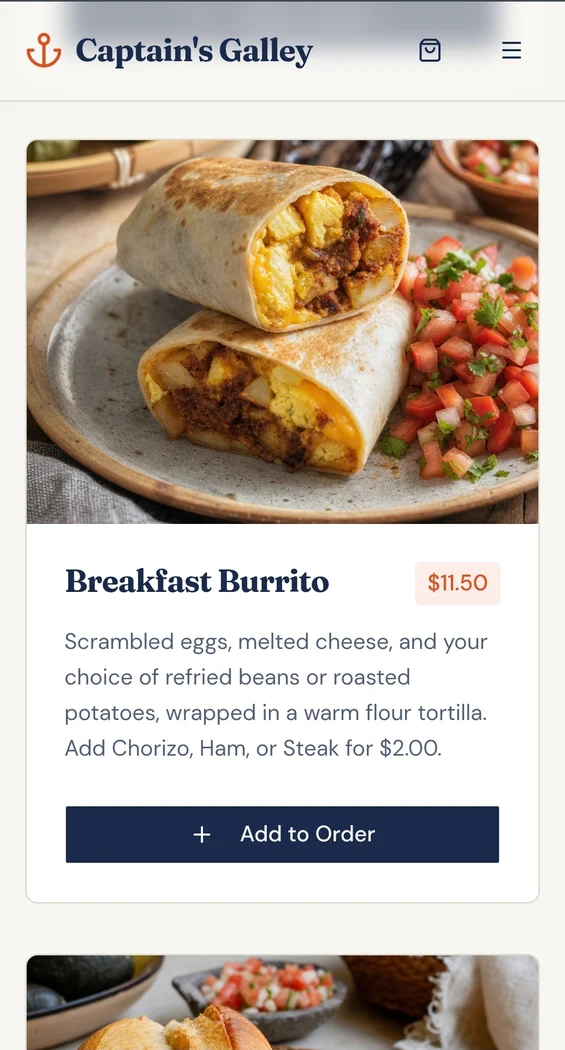
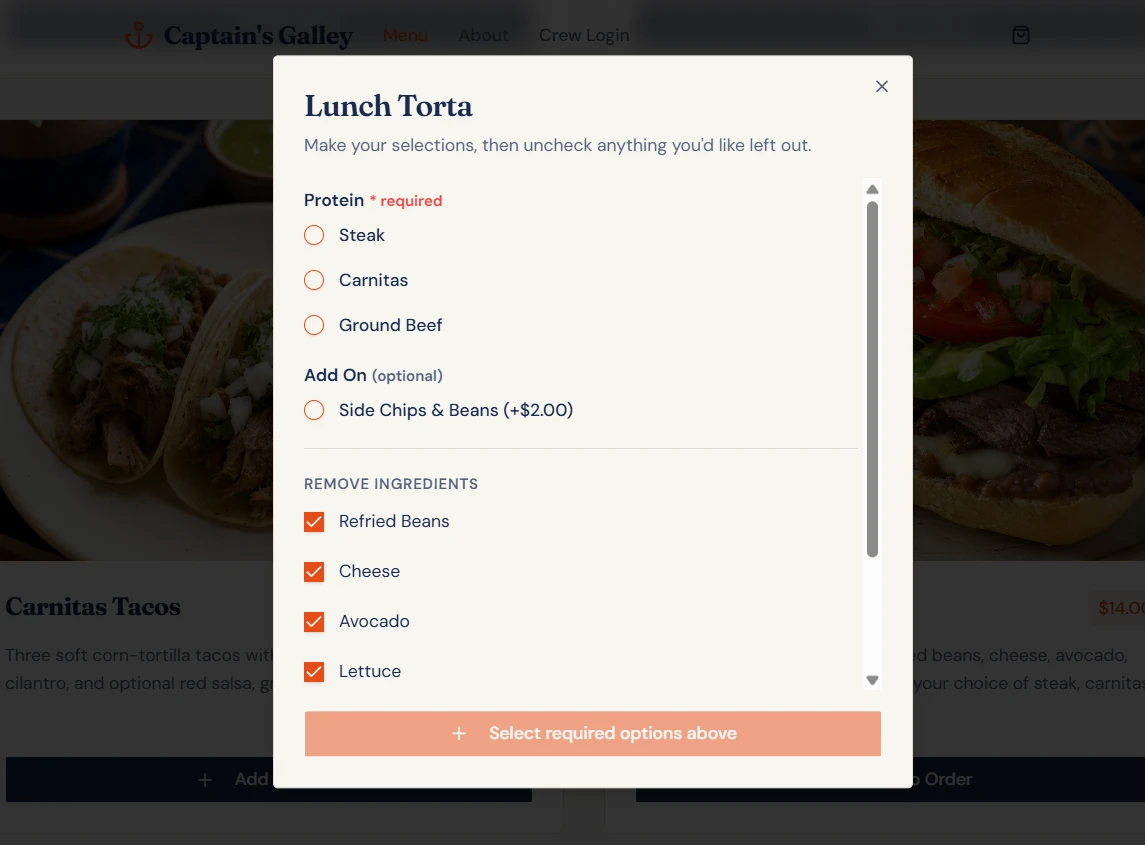
Menu cards pair food photography, descriptions and prices with a direct Add to Order action, turning browsing into the start of an order.
- 03
Pick up
Pickup completes the workflow. The homepage explains the intended use plainly: order ahead and pick up when you’re ready.